Kreu
Rreth Nesh
Spoonbill
Menaxhimi i Hotelit
Menaxhimi i Bar-Restorantit
Menaxhimi i Eventeve
Menaxhimi i Plazhit
Spoonbill HR
Spoonbill CRM – Sistem Menaxhimi i Dërgesave dhe Logjistikës.
Qëndra e Mbështetjes
Na kontaktoni
Blogu
Menu
Kreu
Rreth Nesh
Spoonbill
Menaxhimi i Hotelit
Menaxhimi i Bar-Restorantit
Menaxhimi i Eventeve
Menaxhimi i Plazhit
Spoonbill HR
Spoonbill CRM – Sistem Menaxhimi i Dërgesave dhe Logjistikës.
Qëndra e Mbështetjes
Na kontaktoni
Blogu
Apply
View Categories
Home
Docs
Point of Sales
How to filter items in Warehouse Inventories in Spoonbill PoS.
How to filter items in Warehouse Inventories in Spoonbill PoS.
< 1 min read
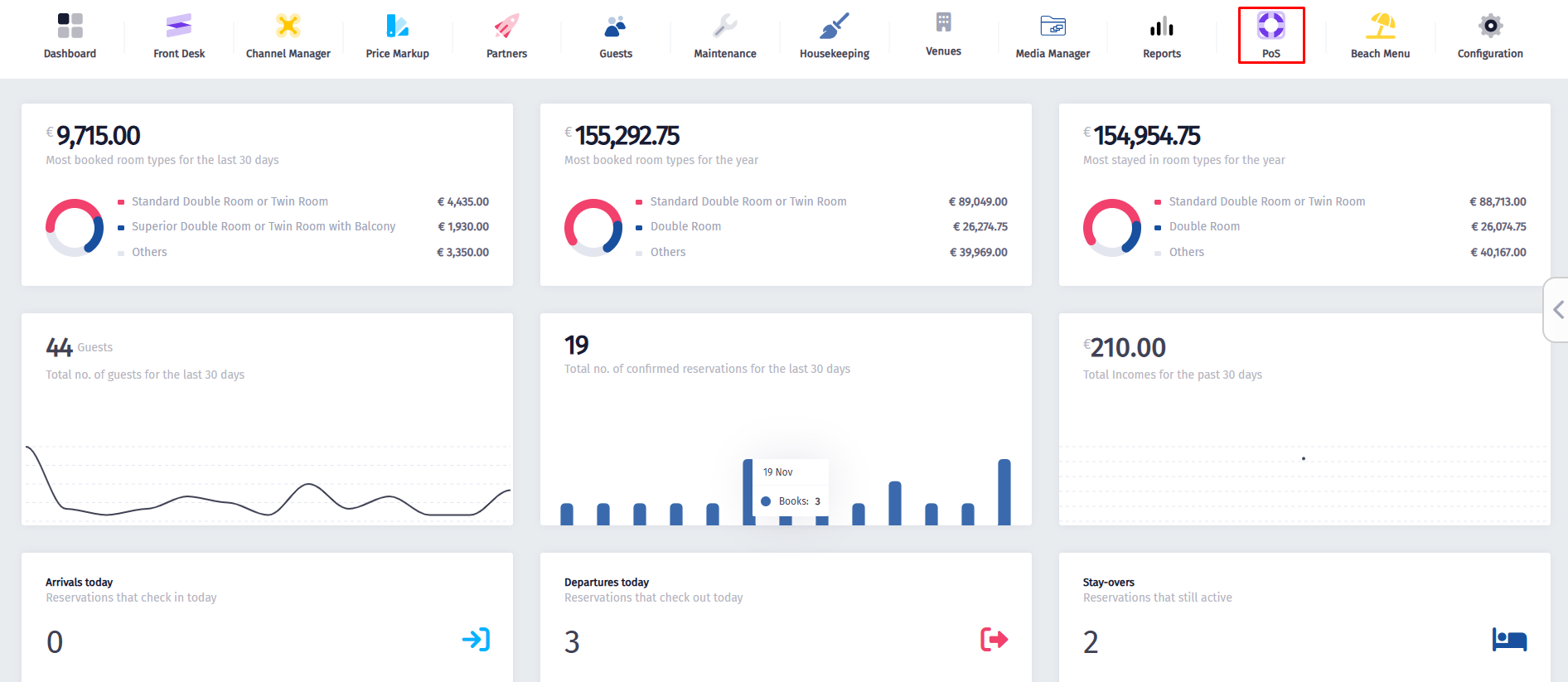
Click on the
PoS
icon.
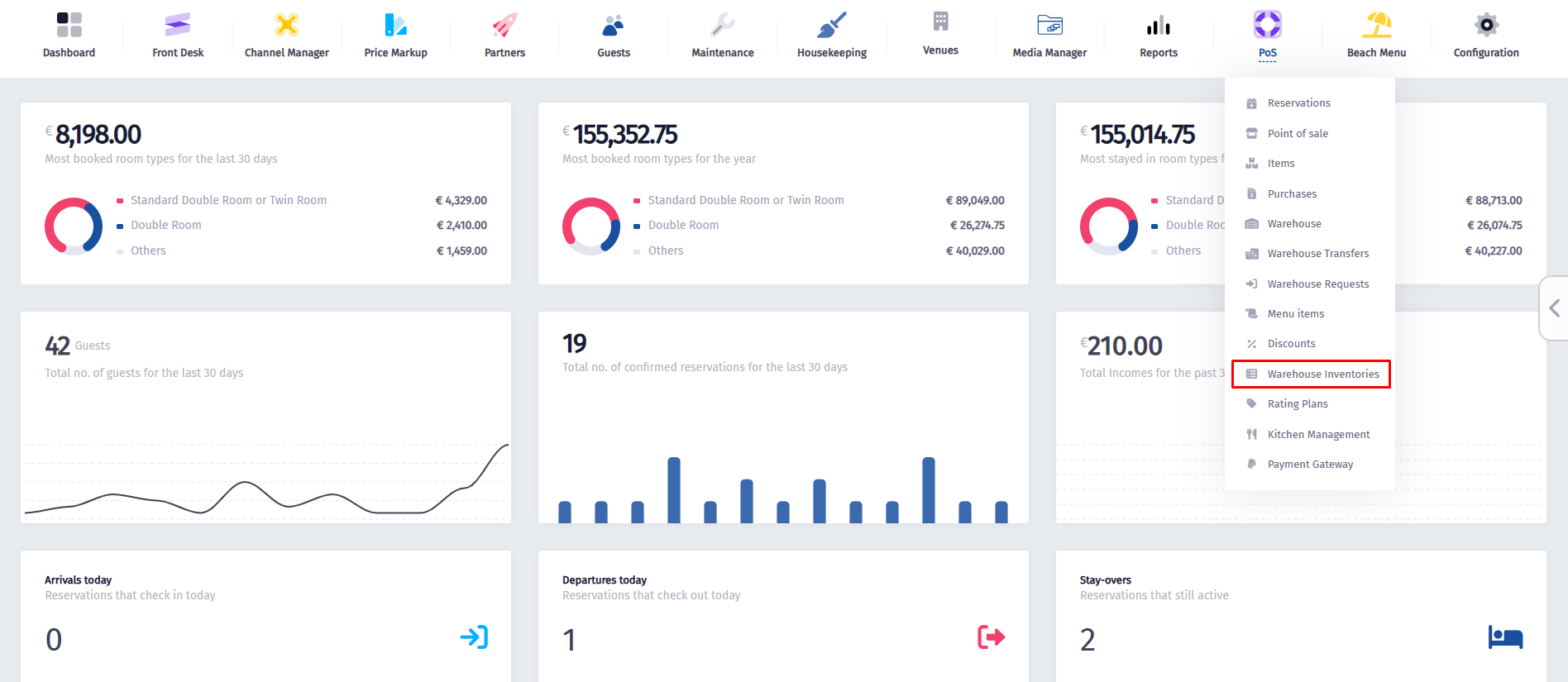
Once the dropdown menu appears, click on
Warehouse Inventories
.
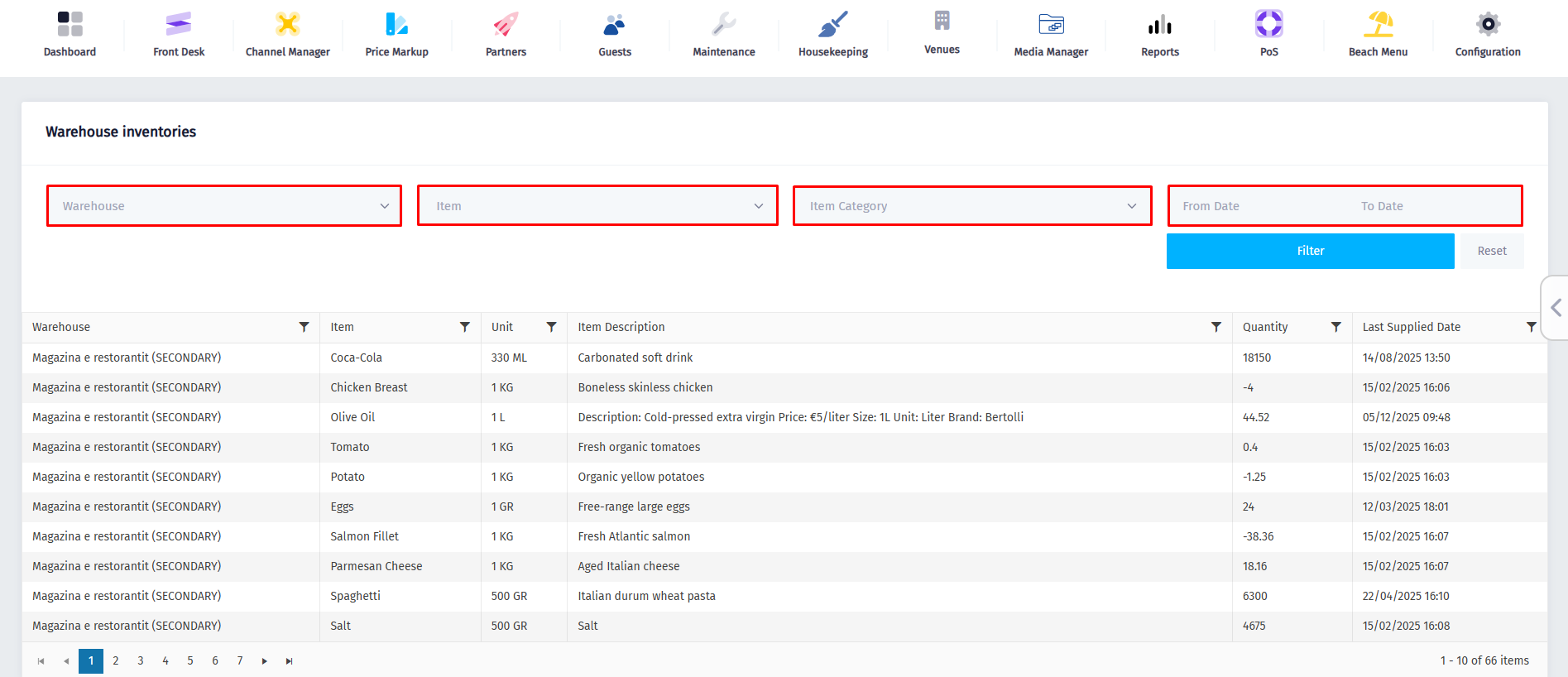
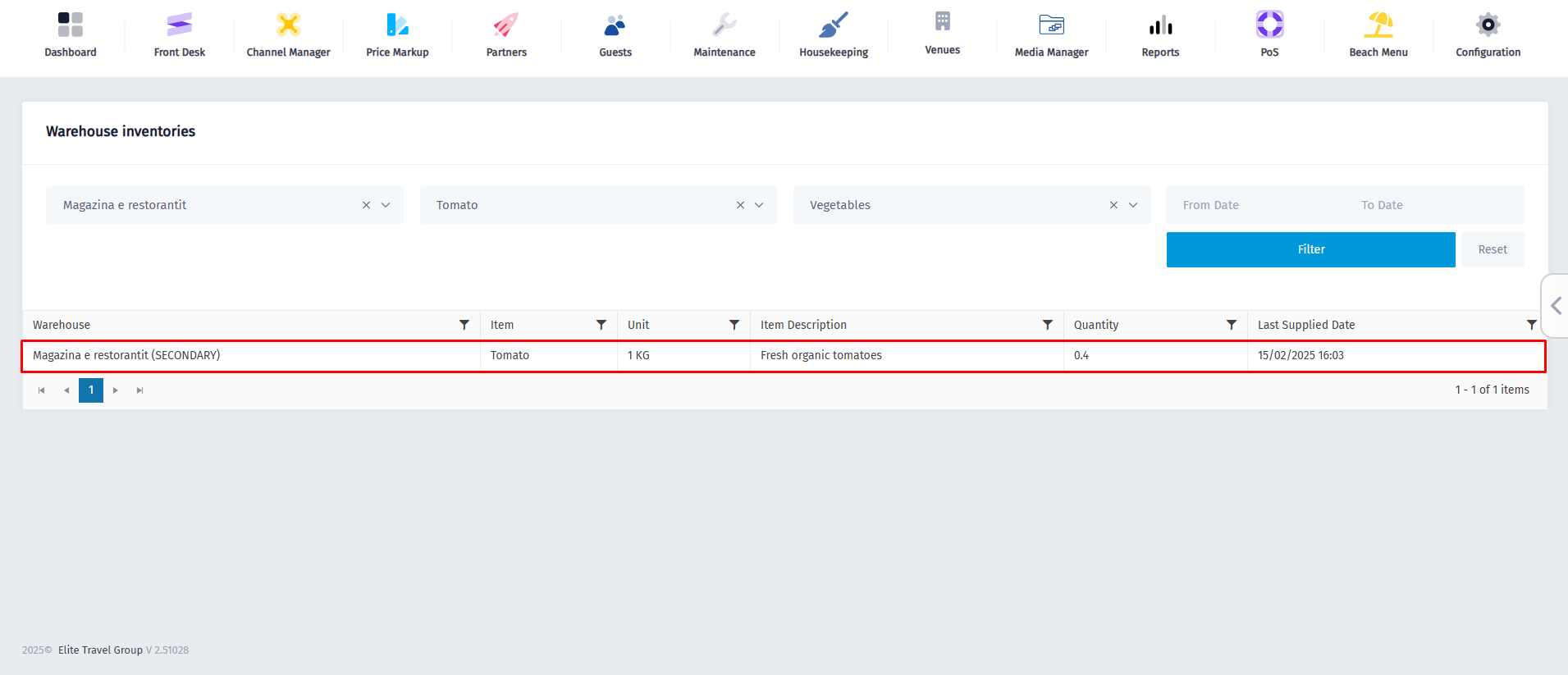
Choose the warehouse, item, category, or date range you want to view.
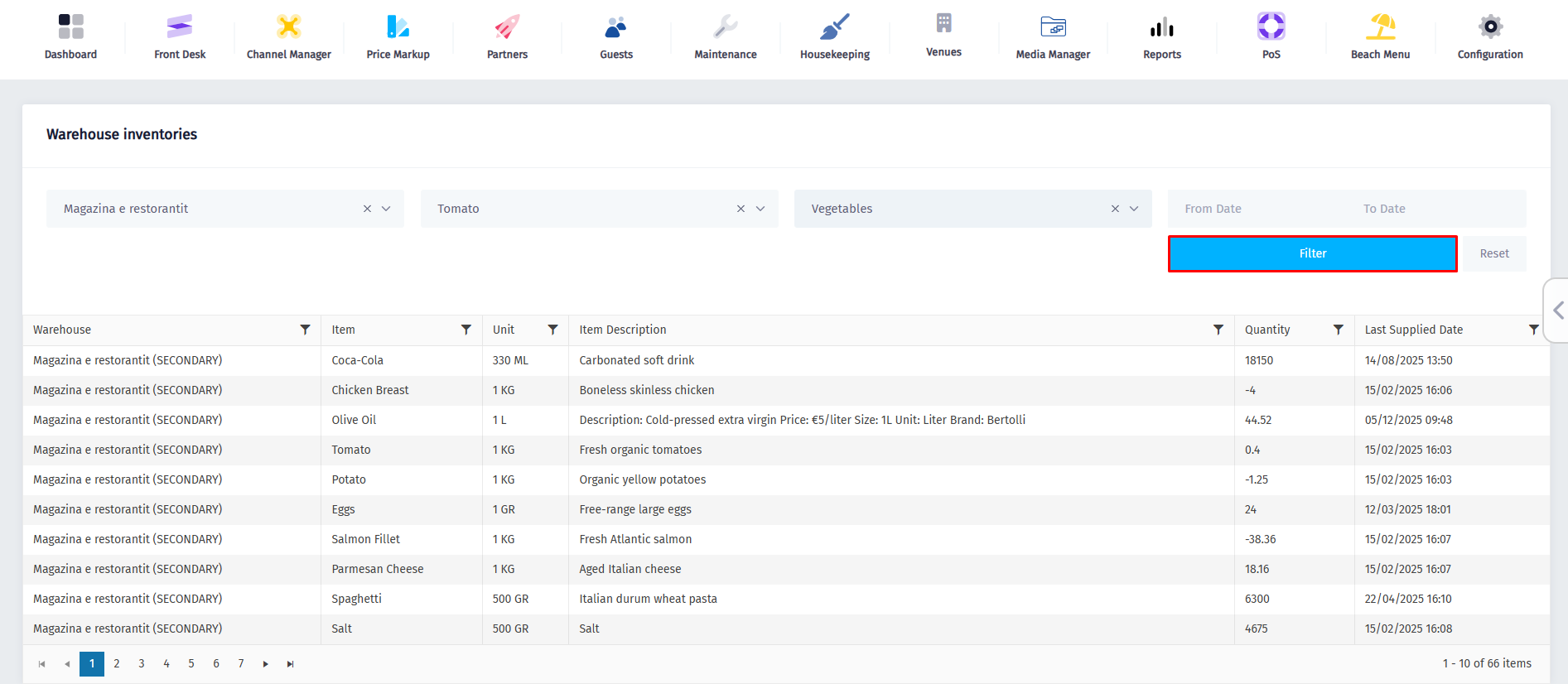
Now click on the
Filter
button to display the matching inventory records.
After doing that, the matching inventory records will appear.
Powered by
BetterDocs
Transforming Hospitality
Zgjidhjet Spoonbill
Spoonbill PMS
Spoonbill PoS
Menaxhimi i Eventeve
Menaxhimi i Plazhit
Menaxhimi i Burimeve Njerëzore
Linqe të shpejta
Kreu
Qëndra e Mbështetjes
Na kontaktoni
Le të lidhemi
Facebook-f
Instagram
Youtube
© 2025 Spoonbill PMS. Powered by
Elite Travel Group